Business owners shouldn't need a desktop and a manual to approve a payment. I designed the Business Online mobile app so finance teams can review and approve payments from anywhere, with total confidence on a small screen.
Sr. Product Designer — Business Online, mobile
Cross-functional — product, iOS & Android eng, business, me on design
2024 · Emirates NBD, Dubai
Figma · attention heatmaps · usability testing
Designed the Business Online mobile app so finance teams can review and approve payments anywhere — research, authorization flows, accounts & payments, the device-activation journey, and a mobile design system.
40% faster to authorize a pending payment and 4× clearer authorization status in usability testing, across 60+ mobile screens designed.
A small screen carrying high-stakes payments, with security and approval requirements.
drag ⇆ to reveal the redesign
Corporate banking is built for big desktop dashboards, but the person who needs to approve a multi-million-AED payment is often away from their desk. The job: make high-stakes business banking feel safe and simple on a phone.
Authorizers had to wait until they were at a desktop to release payments.
Unclear status after authorizing, no confident confirmation on mobile.
Desktop-grade data crammed onto a small screen, hard to scan.
Makers, checkers and authorizers each need a different view.
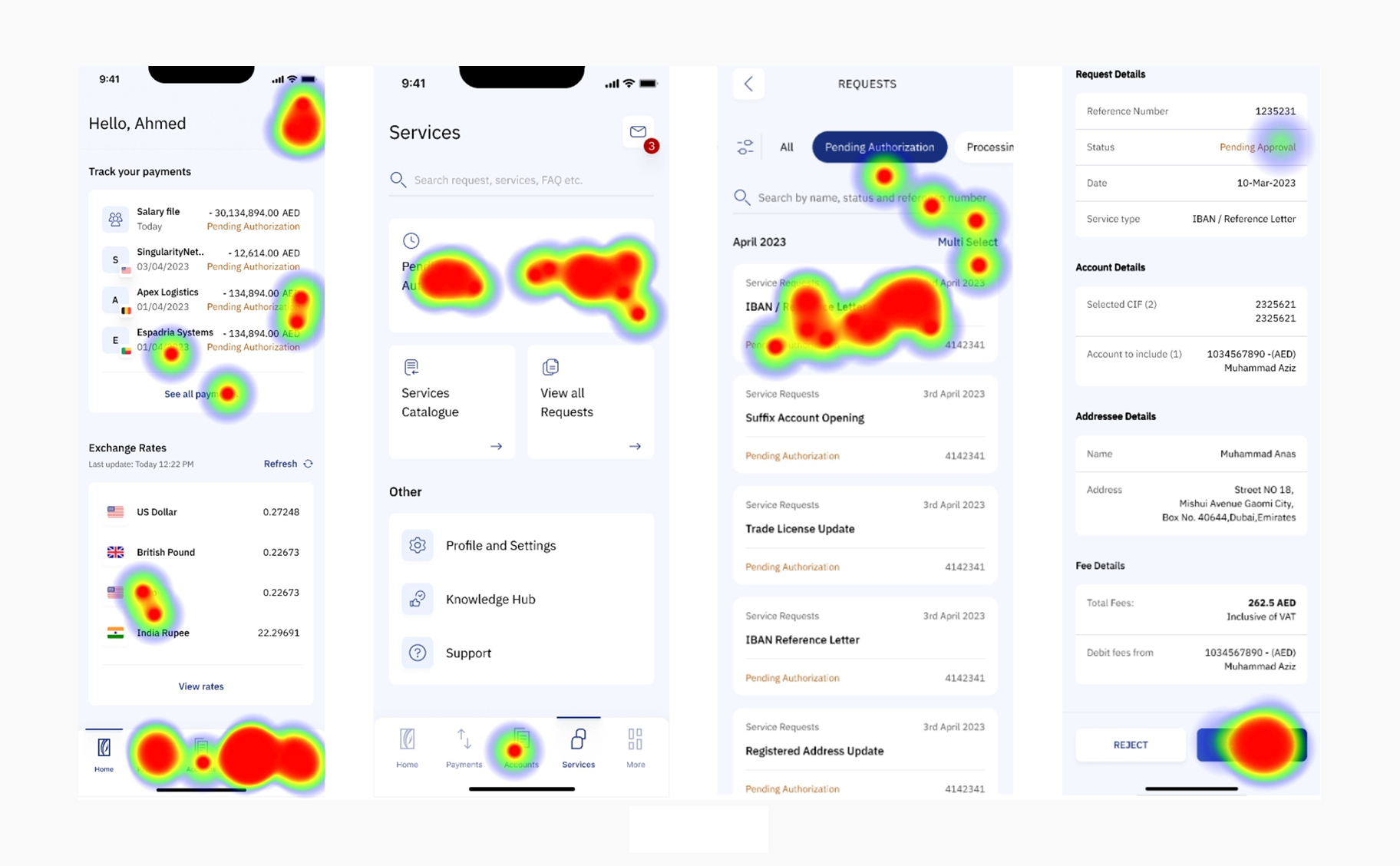
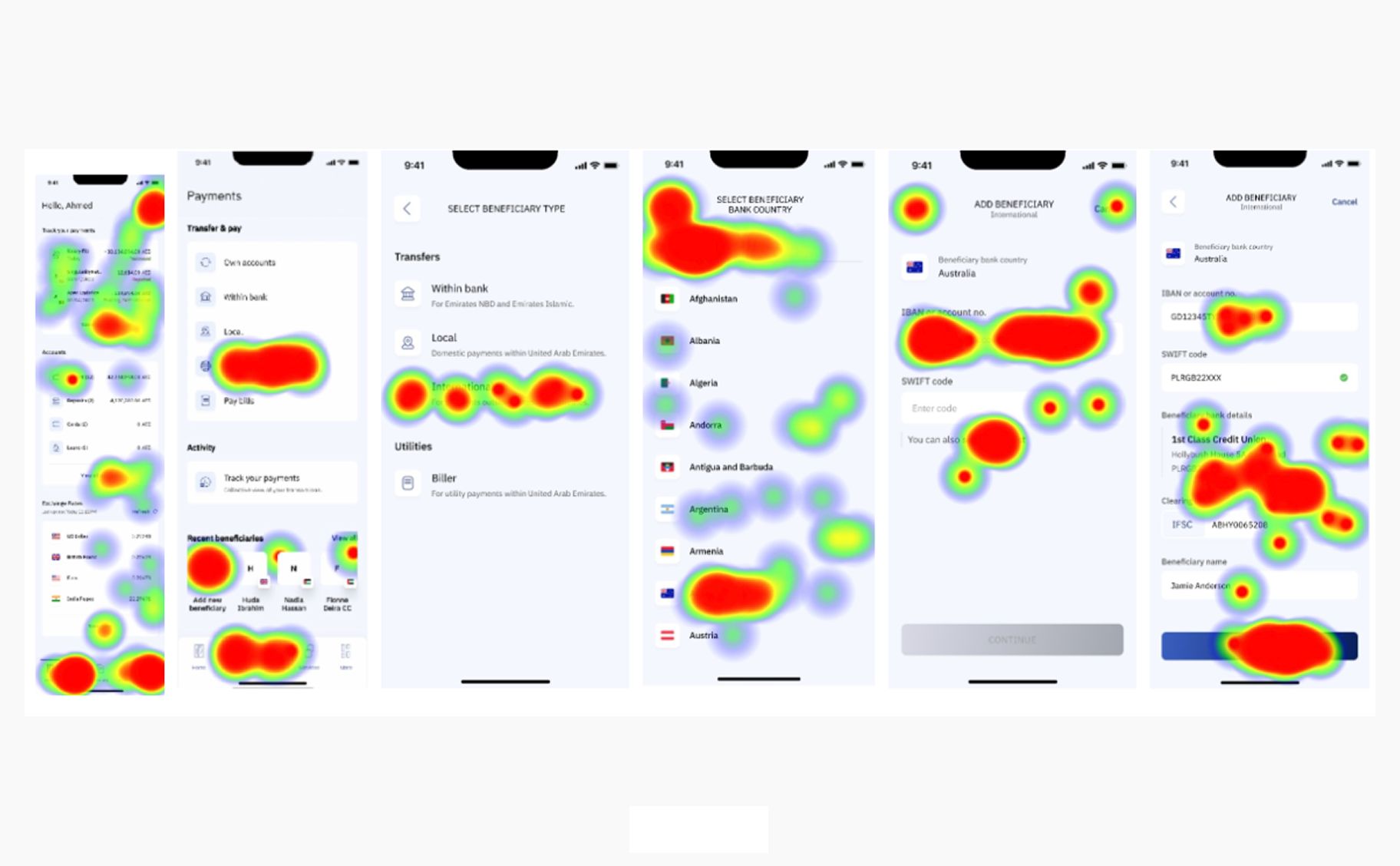
Before redrawing a single screen, we ran attention heatmaps on the live app — exposing the gap between what users needed and where their eyes actually went.
voices from research

click to open the full heatmap board
Approving a pending payment, the core task. Before vs. after the mobile redesign.
Research how authorizers really work on mobile, prototype the flows, and validate with heatmaps and testing.
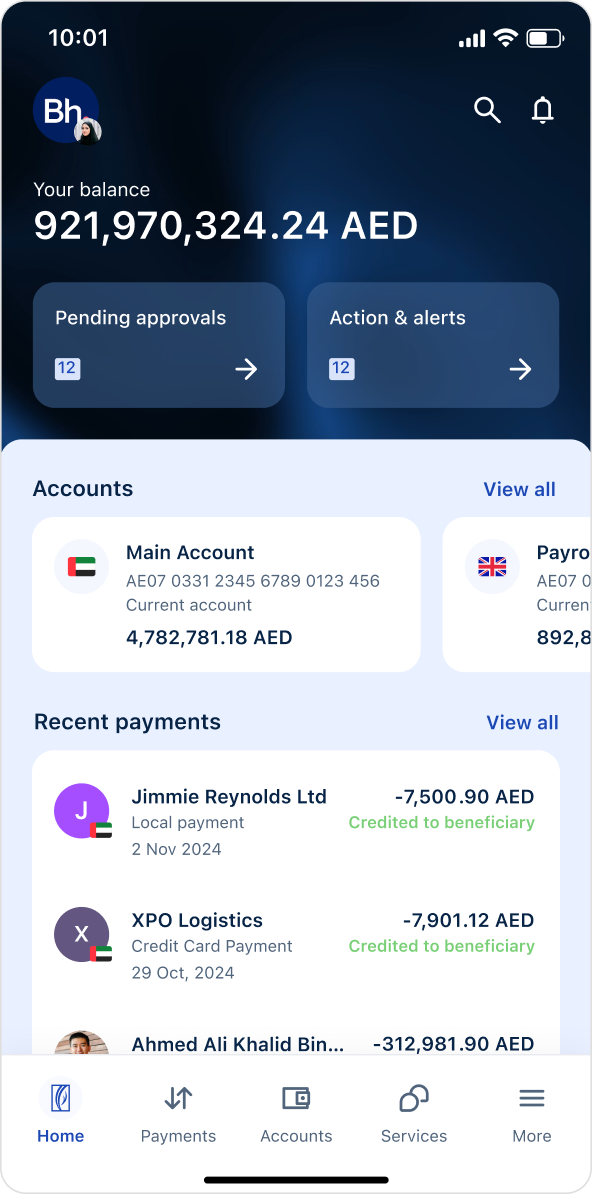
Put what needs action at the very top, authorizers see and clear tasks instantly.
Cramming the full portal onto a phone would keep the very density that made approvals slow.
Makers create, checkers verify, authorizers release. Each needed a focused mobile view, not one crowded screen.
Designed a pending-first home, a clear authorize action, and a frictionless device-activation journey.
Ran heatmap + usability testing on the new screens, attention landed exactly where the key actions live.
Delivered a documented component anatomy so the app stayed consistent across both platforms and future releases.
A Maker and a Checker don't need the same screen. Each home is tuned to what that role actually does — here are the key decisions, on the live build.
A corporate payment isn't one person's job: a Maker creates it, a Checker verifies it, an Authorizer releases it — each with a focused view and a clear approve-or-reject fork.
Enters payee, amount & account, submits for approval.
Confirms payee & amount are correct; flags anything off.
Biometric check, then the fork:
the maker → checker → authorizer chain, with a clear approve / reject fork
In corporate banking, confidence is designed. Every element here does quiet work to make a CFO trust an irreversible transfer — hover the markers.
hover a ● marker to see the trust signal
Before touching a single fil, a corporate user has to prove who they are. We designed the full device-activation journey — subscriber ID, OTP, password, Smart Pass PIN — so first-time users sign in without ever visiting a branch.

the complete activation flow, click to open full-size
Authorizers can review and release a payment the moment it lands, 40% faster than the legacy flow in usability testing, with a confirmation that finally answers "did it go through?"
The design removes the desktop dependency that stalled payments, so an authorization no longer has to wait for someone to get back to their desk.
A documented mobile component anatomy keeps iOS and Android consistent and lets every future release build on a real system, not one-off screens.
Close the loop on trust. The confirmation state tested well, next I'd instrument it: measure how often authorizers re-check a payment after releasing it, and design that residual anxiety away entirely.
Make the roles adaptive. A Maker and an Authorizer share the same shell today. With usage data, each role's home could lead with the one action that role does most.
Push the system further. 60+ screens on a single component anatomy held up, the next release should let engineering ship routine flows without design in the loop.
A documented component anatomy and mobile patterns handed to iOS and Android engineering, so the experience stayed consistent across platforms and every future release built on a real system.
Accessibility was part of the spec, not an afterthought — minimum touch targets, AA-contrast tokens and clear focus states — so high-stakes actions stayed usable for every authorizer, on any device.

the component anatomy — click to open full-size